
Paycheck Bill Planner
Make every paycheck make sense.
See which bills each paycheck needs to cover, check them off as you pay, and know what's left until your next payday.
Windows desktop app. No bank connection. No subscription.
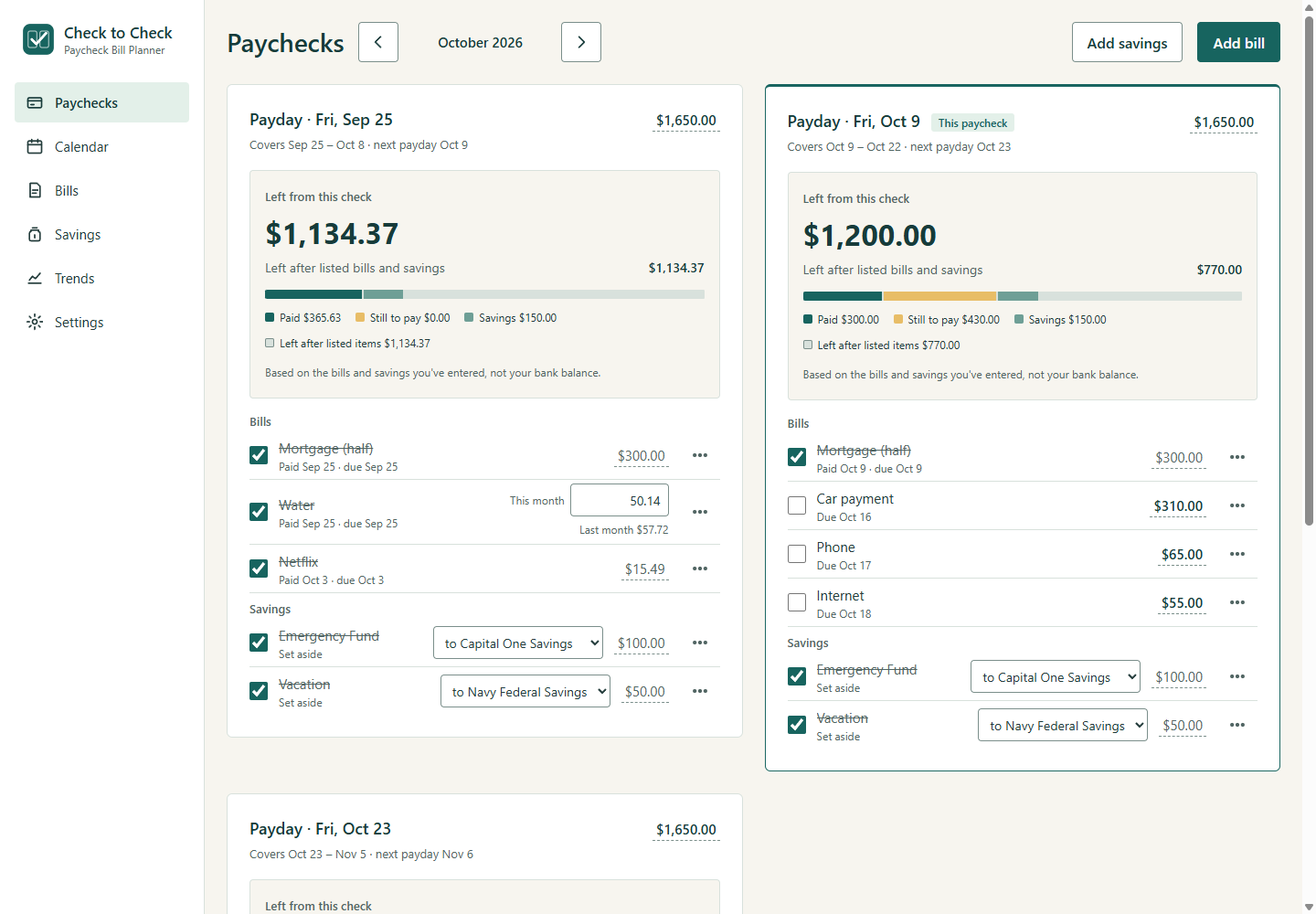
Shown with sample data.
How it works
Three steps, then a quick check-in each payday.
-
Add your paydays.
Choose your pay schedule and enter your paycheck amounts. Two earners on different schedules works too.
-
Add your bills and savings.
See which check covers each item, from rent and car payments to the electric bill that's different every month.
-
Check off what you've paid.
See what's left from that check, and what's left after the rest of the listed bills and savings.
Built around your paydays
Most budgeting apps think in months. Check to Check thinks the way you get paid.
A calendar that follows your paydays
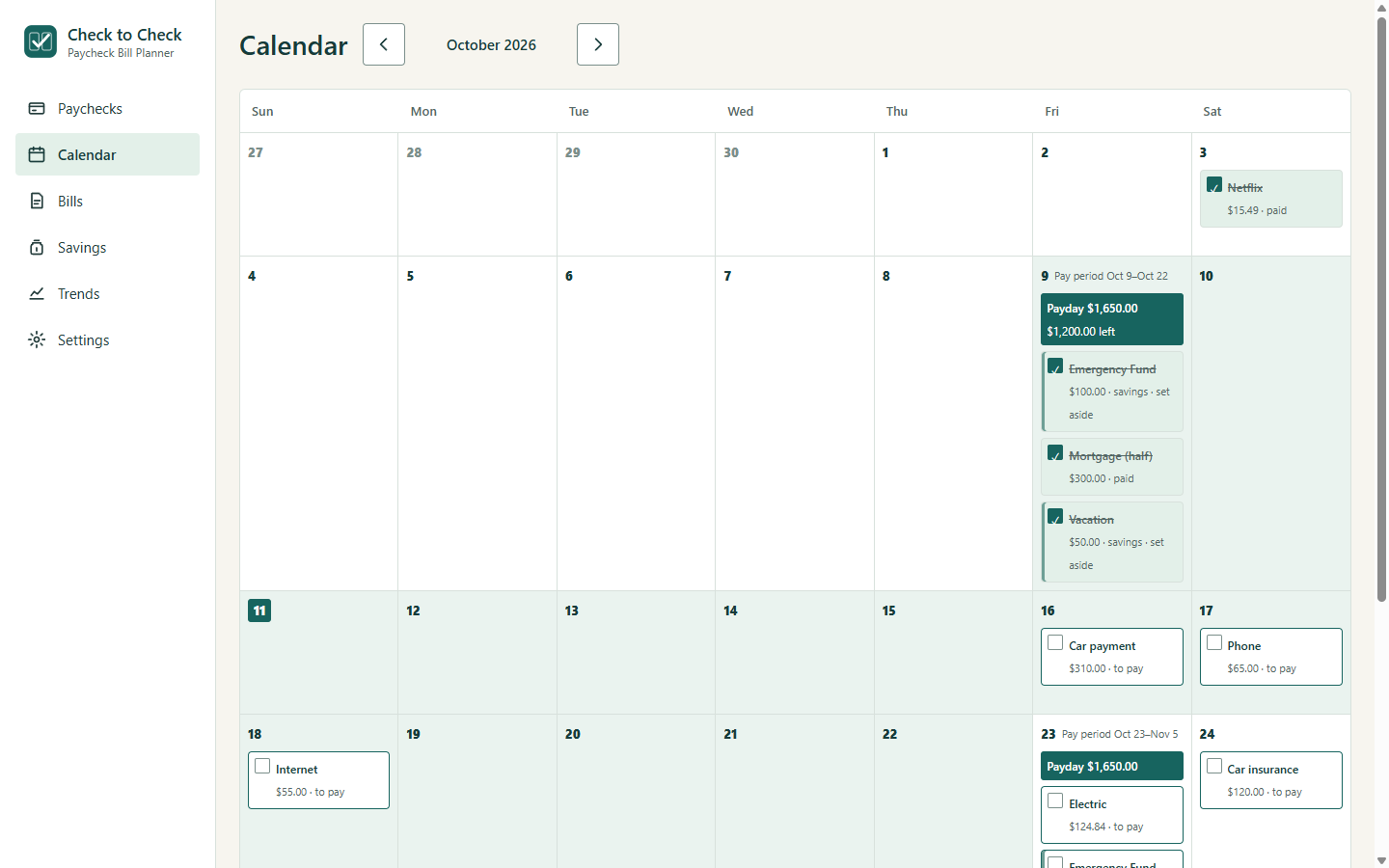
See due dates, payment dates, and pay periods together. Each pay period is shaded, so you can see which check covers which bills.
- Check bills off right on the calendar.
- Paid early, or on payday? Drag a bill to the day you actually paid it.
- Moving a bill changes which check it comes from, never its due date.
Bills that change every month
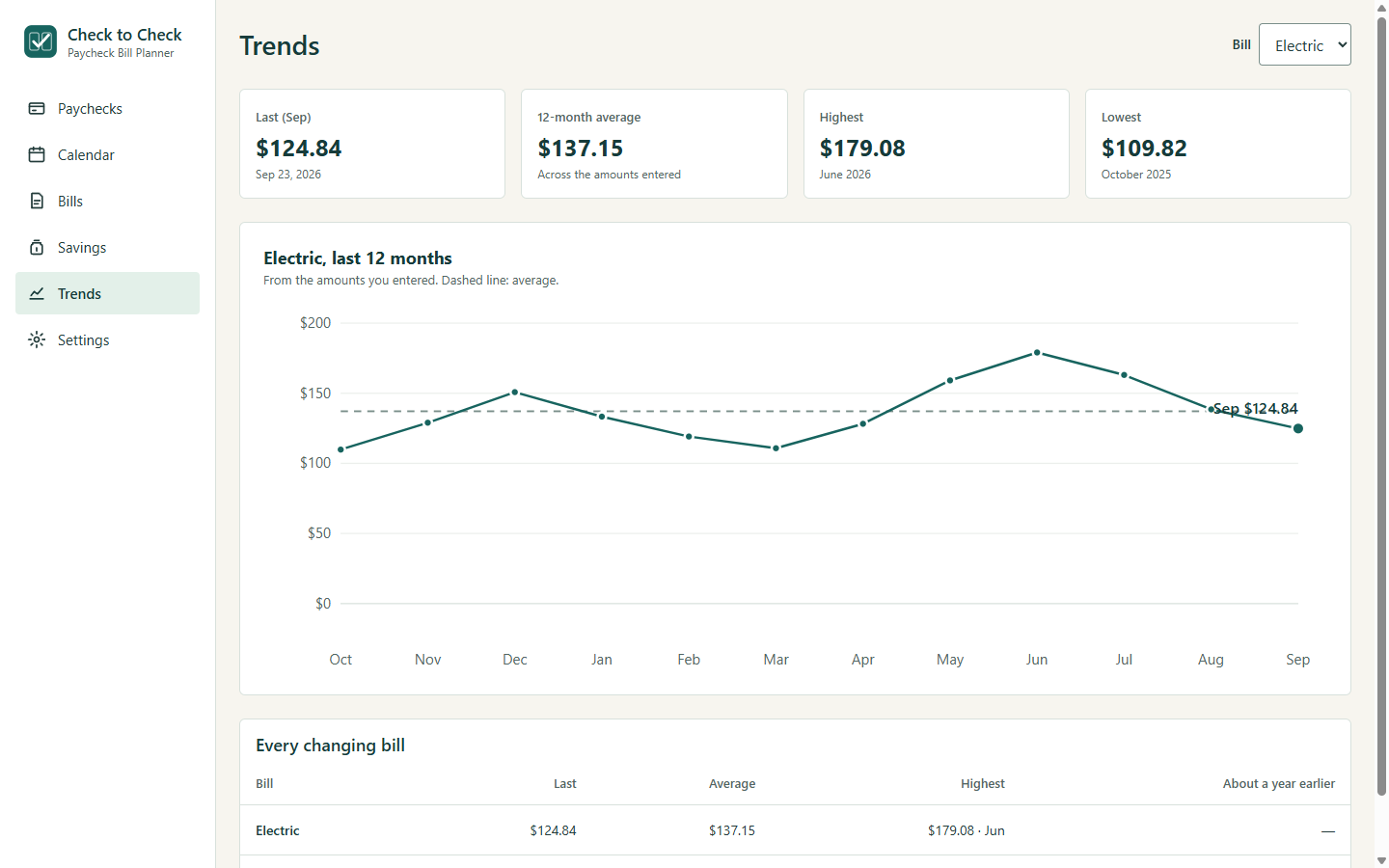
Mark a bill like electric or water as one that changes. Check to Check shows last month's amount right where you enter this month's, and plans with it until the new bill comes in.
Over time, Trends shows how those bills move through the year.
Your bills, organized by paycheck
Each paycheck lists the bills due before the next one, with a clear "short by" warning if a check doesn't stretch far enough.
Real-life amounts
Adjust one bill when it's higher than usual, or change the usual amount starting on a chosen date.
Savings with each check
Plan an amount from every paycheck, choose where it goes, and mark it set aside yourself.
Your computer. Your records.
No bank login or cloud account is required. Your data stays in a file on your computer.
Works offline
After a one-time activation, Check to Check doesn't need the internet.
On the calendar you already use
Add your upcoming bills and paydays to Google Calendar, Apple Calendar or Outlook, with reminders before each due date.
One price. No subscription.
Pay once and it's yours.
Launch price The regular price will be $25.
- Check to Check for Windows
- Includes one year of updates
- The version you buy keeps working after that year
- Use it on up to 2 computers
- 14-day money-back guarantee
- Later versions are optional paid upgrades
- No subscription and no bank connection
For Windows 10 and 11 (64-bit). Your license key arrives by email after purchase.
Questions
Does it pay my bills?
No. It helps you plan and track them. You make payments separately and check them off yourself.
Does it connect to my bank?
No. It does not connect to your bank or import transactions.
Is this a complete budgeting app?
It focuses on bills and savings by paycheck. It does not track every purchase or investments.
Where is my data?
In a file on your computer, in your Documents folder. No cloud account is required.
Does it work on Mac or a phone?
Windows is the initial platform. Mac support is a possible future direction; no release date is promised. There is no mobile app.
Which pay schedules work?
Weekly, every two weeks, twice monthly, and monthly.
Can I see my bills in Google or Apple Calendar?
Yes. Check to Check saves your upcoming bills as a calendar file you add to Google Calendar, Apple Calendar or Outlook. It doesn't sync on its own: when your bills change, add a new file.
Do I need to be online?
Only once, to activate your license key. After that, Check to Check works offline.
What happens after my year of updates?
Your purchased version keeps working. Later versions are optional paid upgrades.
Do I need to own a home or live on the Gulf Coast?
No. It's for anyone who plans bills around paydays.